
logo
Contact

How to create a mitigation rule step by step

Create a rule from the protected IP: choose protocol and type, configure port, mode and PPS, review confirmation, and verify the resulting table row.

Updated 8/3/20264 min read

Open the wizard

Open Network, select the IP, and choose Create rule. If the list is empty, use Create first rule. The wizard starts at Type and advances after TCP or UDP selection.
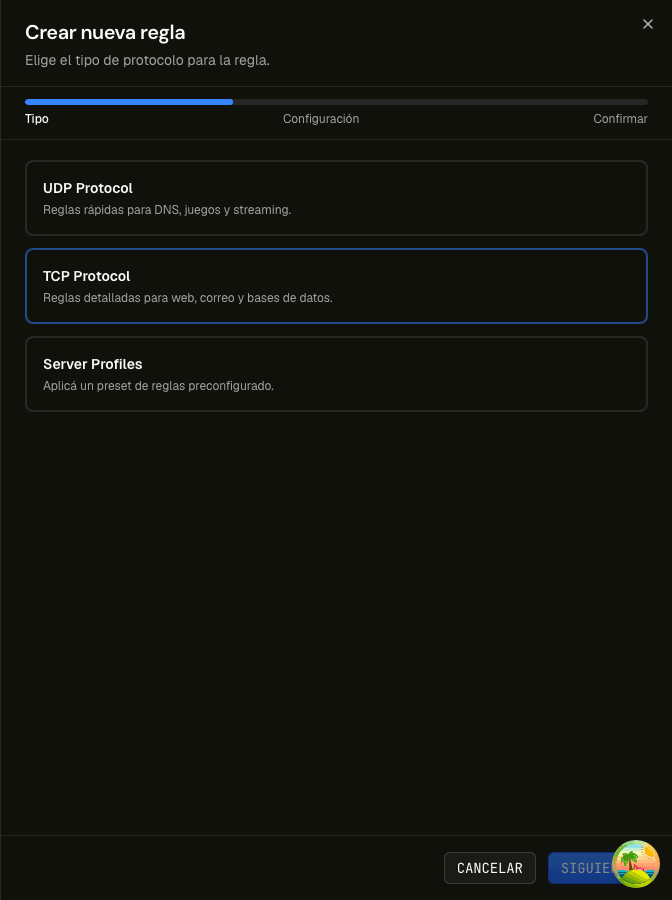
Create-rule wizard first step with UDP, TCP, and server profiles
Choose the service's actual protocol or a verified profile. The captured panel interface is in Spanish.
  1. 01Select the IPConfirm the address in the detail header.
  2. 02Create ruleOpen the wizard from the main button or empty state.
  3. 03Choose protocolSelect TCP or UDP to match the service.

Related guide: How mitigation-panel rules work

Configure the rule

Choose a general or specific type, enter a port or allowed range, and select the mode. For B or R, enter a positive PPS limit within the maximum displayed by the form.
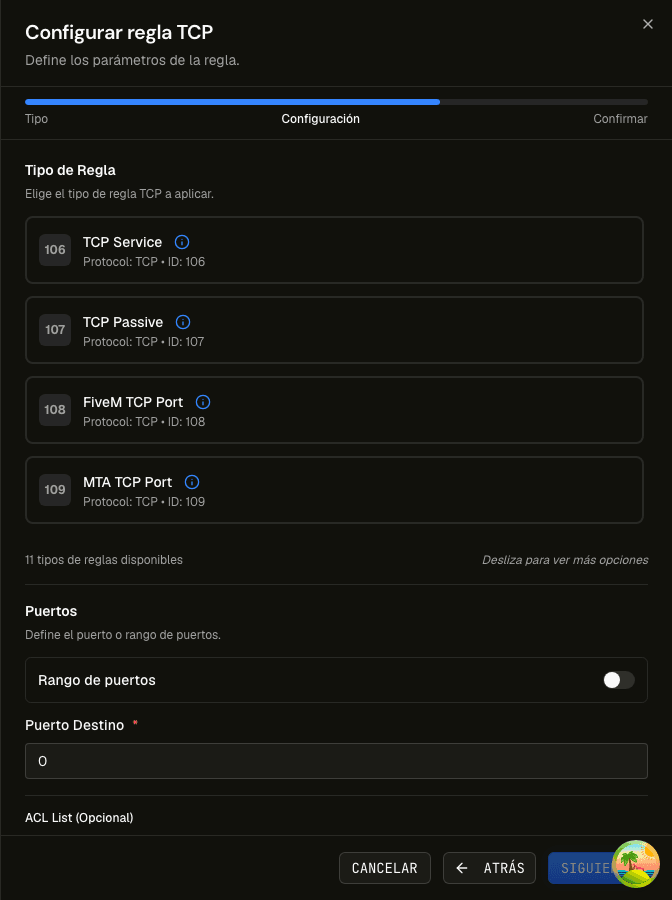
TCP rule configuration step with type catalog and port field
The selected type determines the port and mode choices validated by the form.

Confirm and verify

Select Next to review IP, protocol, type, port, mode, and limit. Create the rule, wait for success feedback, and confirm the new row in the table. Test connectivity and the application from a valid source.

  1. 01ReviewGo back if any value is wrong.
  2. 02CreateSubmit once and wait for confirmation.
  3. 03VerifyCheck the table and service; revert unexpected impact.

Frequently asked questions

What if I do not know the type?

The catalog offers UDP Generic Port and TCP Service for general services. Use a product-specific preset only after confirming it matches the application.

Why can I not continue?

Read the form messages. A port may be missing, B/R may need PPS, or a value may exceed the displayed restriction.

Sources

  1. inetHost — Panel de mitigación
  2. inetHost — Cloud VPS mitigado
  3. Cloudflare Learning Center — What is a DDoS attack?
How to create a mitigation rule step by step | inetHost